Ad Blocker Detected
Our website is made possible by displaying online advertisements to our visitors. Please consider supporting us by disabling your ad blocker.
Imagine your water ionizer as the heart of your hydration system, quietly working to produce pure, alkaline water. Over time, however, issues can arise that threaten its performance and longevity. Understanding how to identify and resolve common problems is vital for maintaining ideal function. From low pH levels to device errors, each challenge requires a precise approach. To guarantee your system stays reliable, it’s essential to follow a structured troubleshooting process—let’s explore the key steps involved.
Key Takeaways
- Check and replace clogged or outdated filters to ensure proper water flow and ionization.
- Inspect electrical connections and control boards for faults or damage, and reset if needed.
- Regularly clean electrodes and electrolytic cells to prevent mineral buildup affecting pH levels.
- Refer to error codes in the user manual for specific troubleshooting steps and solutions.
- Perform scheduled maintenance, including filter changes and electrode cleaning, to maintain device performance and longevity.
Common Water Ionizer Problems and Their Causes
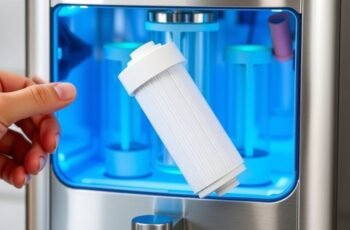
Have you ever wondered why your water ionizer isn’t functioning at its best? Common issues often stem from problems with the water filter or electrical components. A clogged or outdated water filter can restrict water flow, leading to inconsistent ionization or low pH output. Regular filter maintenance is essential to guarantee ideal performance. Electrical issues, such as faulty wiring, power surges, or malfunctioning control boards, can cause the device to not turn on or operate erratically. These problems may also trigger error codes or cause the unit to shut down unexpectedly. Troubleshooting starts with inspecting and replacing the water filter if needed and verifying electrical connections for continuity and safety. Addressing these core issues helps restore proper function and extends the lifespan of your water ionizer.
How to Fix Low pH Levels and Improve Water Quality
Low pH levels in your water can compromise its quality and reduce the health benefits associated with ionized water. To address this, focus on pH balancing and mineral enhancement. First, verify the electrode condition; mineral buildup can hinder pH adjustment. Second, perform a thorough cleaning of the electrolytic cells to remove mineral deposits that affect ionization efficiency. Third, adjust the machine’s pH settings if your device allows, ensuring suitable pH levels for drinking water. Additionally, integrating mineral enhancement filters can stabilize pH and improve mineral content, supporting consistent ionization. Regular maintenance and proper calibration are essential for maintaining desired pH levels and maximizing water quality. This systematic approach ensures effective pH balancing and enhanced mineral content for healthier water.
Troubleshooting Error Messages and Device Malfunctions
When your water ionizer displays error messages or experiences malfunctions, addressing the issues promptly is essential to maintain peak performance and energy efficiency. First, consult the user manual to interpret specific error codes accurately. Common issues include electrode fouling, which can hinder ionization efficiency, or sensor malfunctions that disrupt operation. Resetting the device or performing a cleaning cycle often resolves minor faults. If problems persist, turn to customer support for technical guidance tailored to your model. Recognizing and resolving errors swiftly minimizes energy waste and prolongs device lifespan. Maintaining clear communication with customer support ensures appropriate troubleshooting steps are followed, preventing unnecessary repairs. Regular maintenance combined with prompt error resolution optimizes energy efficiency and overall device reliability.
Addressing Strange Tastes and Odors in Your Alkaline Water
Strange tastes and odors in alkaline water often indicate contamination or mineral imbalance within the ionization process. To address these issues, focus on optimizing taste enhancement and odor elimination.
- Clean the Electrodes and Filter: Mineral buildup can cause off-flavors and odors; thorough cleaning guarantees proper ionization and reduces contaminants.
- Adjust Mineral Levels: Imbalanced mineral content can lead to undesirable tastes. Using mineral adjustment filters helps maintain consistent, clean flavor profiles.
- Use Proper Source Water: High levels of chlorine or organic matter can cause odors. Pre-filtering source water or using activated carbon filters minimizes these impurities, enhancing taste and eliminating odors effectively.
Implementing these steps guarantees your water’s flavor is optimized, and odors are eliminated efficiently, restoring the quality of your alkaline water.
Preventative Tips to Keep Your Water Ionizer Running Smoothly
Regular maintenance is crucial to guarantee your water ionizer operates efficiently and has a long lifespan. Implementing consistent maintenance routines, including timely filter replacements, minimizes mineral buildup and assures maximum performance. To visualize, consider this table:
| Maintenance Task | Frequency | Purpose |
|---|---|---|
| Filter Replacements | Every 6-12 months | Prevent clogging and enhance purity |
| Cleaning the Electrodes | Quarterly | Avoid scaling and maintain ionization efficiency |
| Checking Water Quality | Monthly | Detect contaminants early |
This systematic approach reduces the risk of malfunctions and prolongs device longevity. Properly scheduled filter replacements and routine cleaning are crucial steps in keeping your water ionizer running smoothly, delivering consistent, high-quality alkaline water.
Frequently Asked Questions
How Often Should I Replace the Filters in My Water Ionizer?
We recommend replacing your water ionizer filters every 6 to 12 months, depending on usage and water quality, to maintain ideal performance. Follow the maintenance schedule and perform regular filter replacement to guarantee consistent water quality and system longevity.
Can Hard Water Damage My Water Ionizer?
Coincidentally, hard water can cause water mineral buildup, leading to ionizer corrosion, so we recommend regular maintenance for ionizer corrosion prevention. Hard water may damage your water ionizer if neglected, impacting performance and longevity.
What Is the Typical Lifespan of a Water Ionizer?
We find that the typical lifespan of a water ionizer ranges from 8 to 15 years, depending on water quality and device durability. Regular maintenance and high-quality water input considerably extend the device’s operational life.
Are There Specific Cleaning Agents Recommended for Maintenance?
We recommend using non-abrasive, pH-neutral cleaning agents for maintenance routines, as they effectively prevent mineral buildup without damaging components. Regularly following these specific cleaning protocols guarantees ideal performance and longevity of your water ionizer.
How Do I Reset My Water Ionizer After an Error?
To reset your water ionizer after an error, identify the specific error code, then follow the manufacturer’s reset procedures—usually involving pressing and holding certain buttons—until the device restores normal operation, ensuring accurate error code interpretation.
Conclusion
By following these troubleshooting steps, maintaining regular upkeep, and understanding error codes, we guarantee our water ionizers operate efficiently. Regular inspection, timely filter replacements, and thorough cleaning keep performance at its best, extend device lifespan, and guarantee high-quality alkaline water. Consistent attention, proactive maintenance, and informed troubleshooting are essential for reliable operation. Ultimately, diligent care safeguards our investment, sustains water quality, and enhances our overall user experience—because a well-maintained water ionizer is a trusted source of pure, healthy hydration.